


1. How do I permanently delete my account?
You can delete your account directly from within the ThyWord app. Please follow the steps below carefully.
Step 1. Log in to the ThyWord app
Open the app and log in using your registered login method.

Step 2. Tap the Account menu
Navigate to the Account menu located at the bottom of the app.
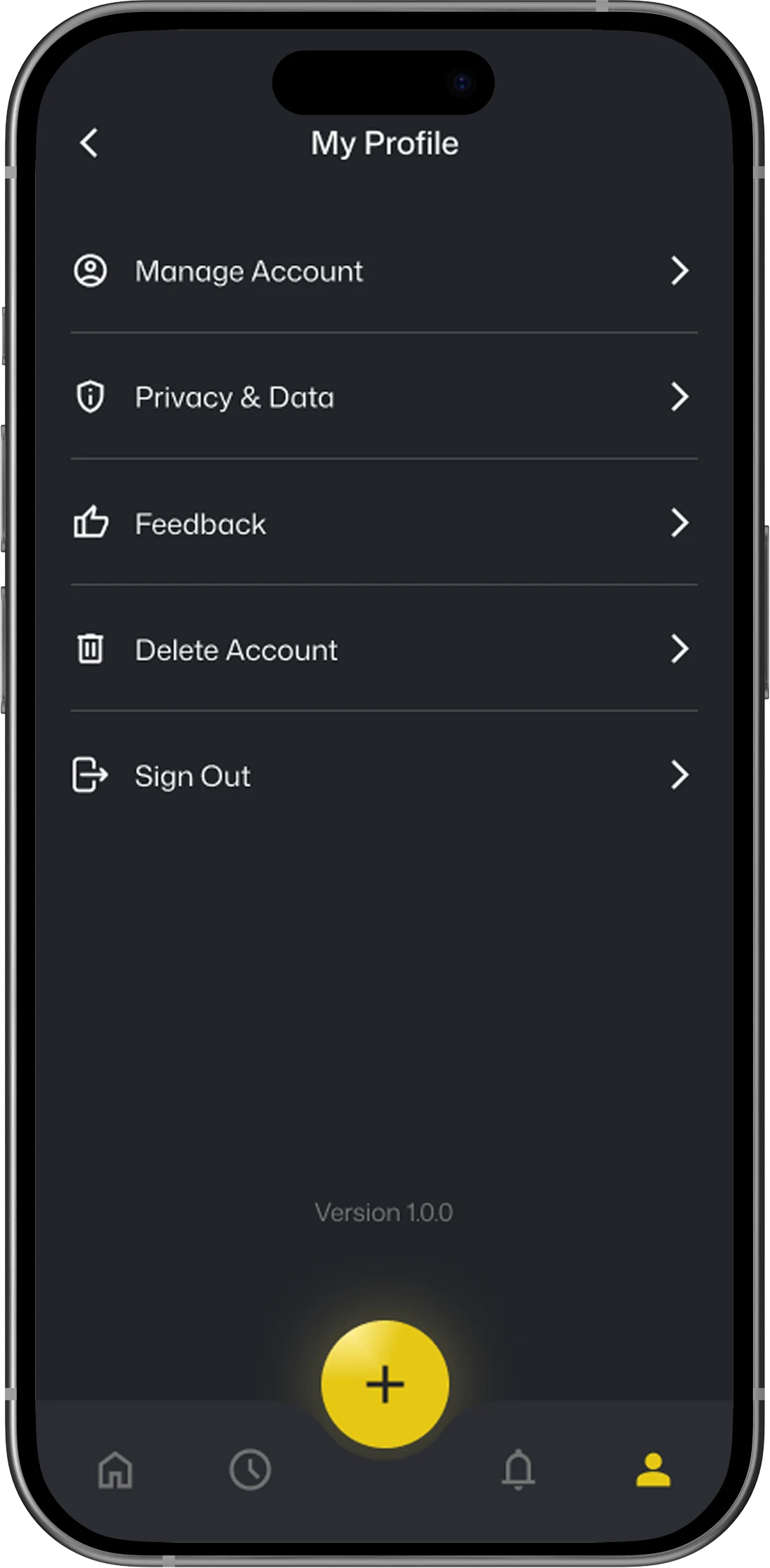
Step 3. Select "Delete Account"
Tap "Delete Account" from the menu. Please read the complete warning message before proceeding.
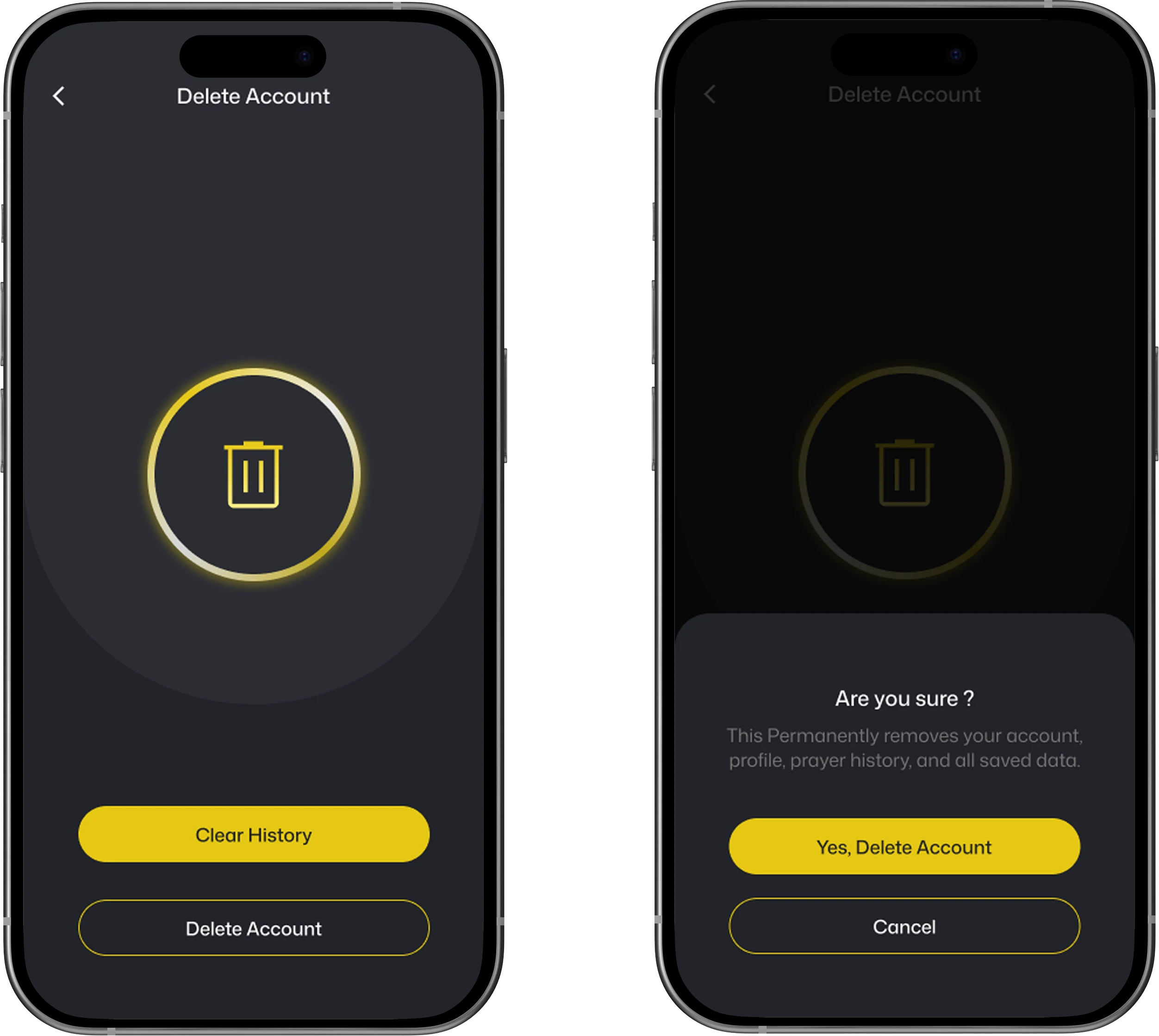
Important:
This action is permanent and cannot be reversed. All your data, including prayer history, saved content, and account information, will be permanently removed. Please proceed only if you are absolutely sure you wish to delete your account.
This action is permanent and cannot be reversed. All your data, including prayer history, saved content, and account information, will be permanently removed. Please proceed only if you are absolutely sure you wish to delete your account.
2. How can I delete my account without the app?
- Send an email to [email protected] from the email address you used to register your ThyWord account.
- We will respond within 48 hours with a confirmation email. Please reply to that email with the required information as instructed.
- Once we receive your complete consent, we will initiate the account deletion process.
Note:
To protect your account from unauthorized requests, the deletion request must be sent from the email address registered with your ThyWord account. Requests from other email addresses will not be processed.
To protect your account from unauthorized requests, the deletion request must be sent from the email address registered with your ThyWord account. Requests from other email addresses will not be processed.
3. Can I request deletion from a different email address?
To protect your account security and prevent unauthorized deletion requests, we only accept account deletion requests from the email address that is registered with your ThyWord account. Requests sent from any other email address will not be processed.
4. Need further help?
If you have any additional questions or need further assistance, please don't hesitate to reach out to us at [email protected]. We're happy to help.